Pay & recordsProduct guide

Exports

Turn the records already captured in Farmroute into usable files: a single shift, a visible schedule range, estimated gross payroll, a print-ready farm or worker ID, or a secure portable archive of account data.

  • Single-shift records
  • Schedule-range reports
  • Payroll exports
  • Printable farm and worker IDs
  • Account data archives

Inside the app

See the workflow.

Actual Farmroute screens from the farm and employee demo accounts.

01 · Work records

Export one shift or the visible schedule range.

Both schedule entry points produce the same structured worker attendance columns, with the scope determined by where Export is opened.

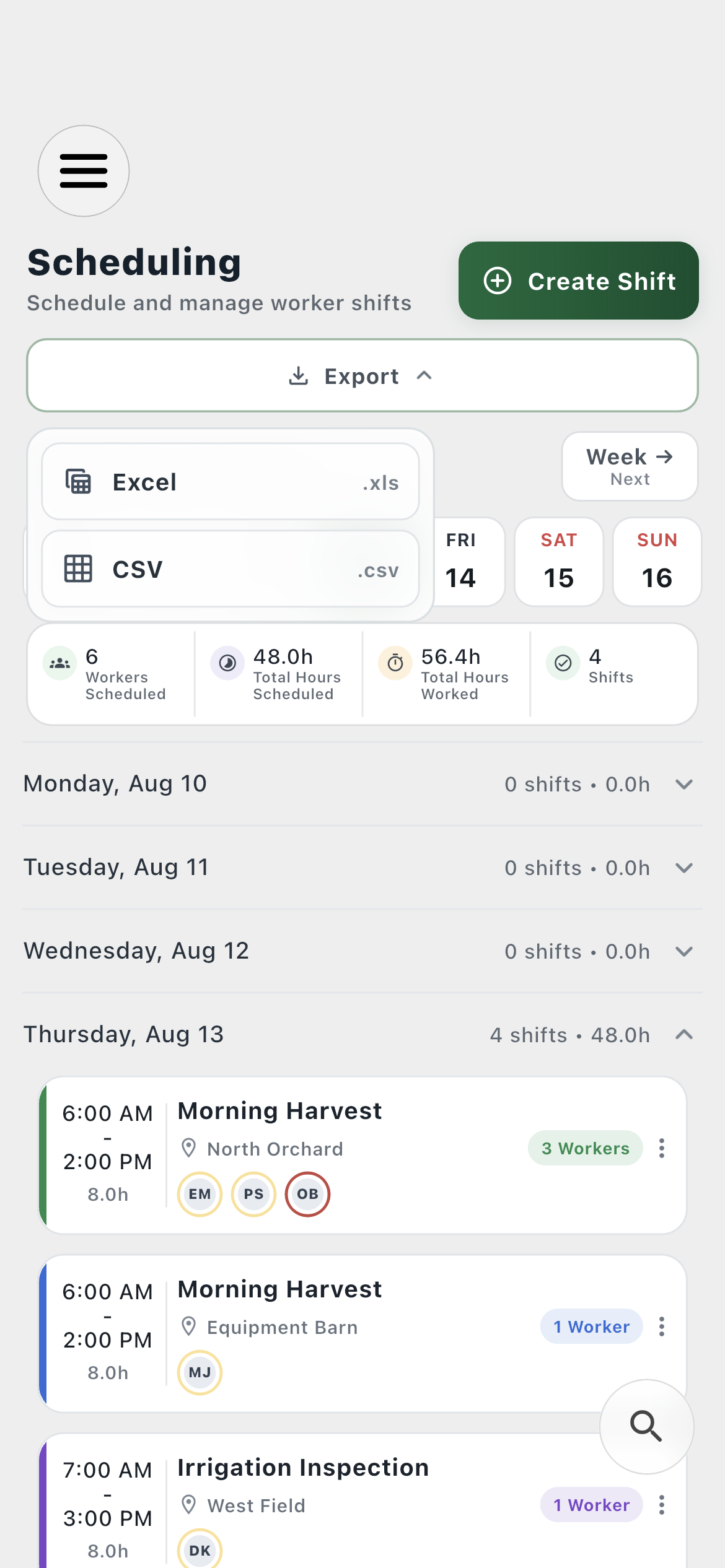
Schedule range01
Farmroute schedule range export menu offering Excel and CSV
Export every shift in the date range currently shown on the schedule.
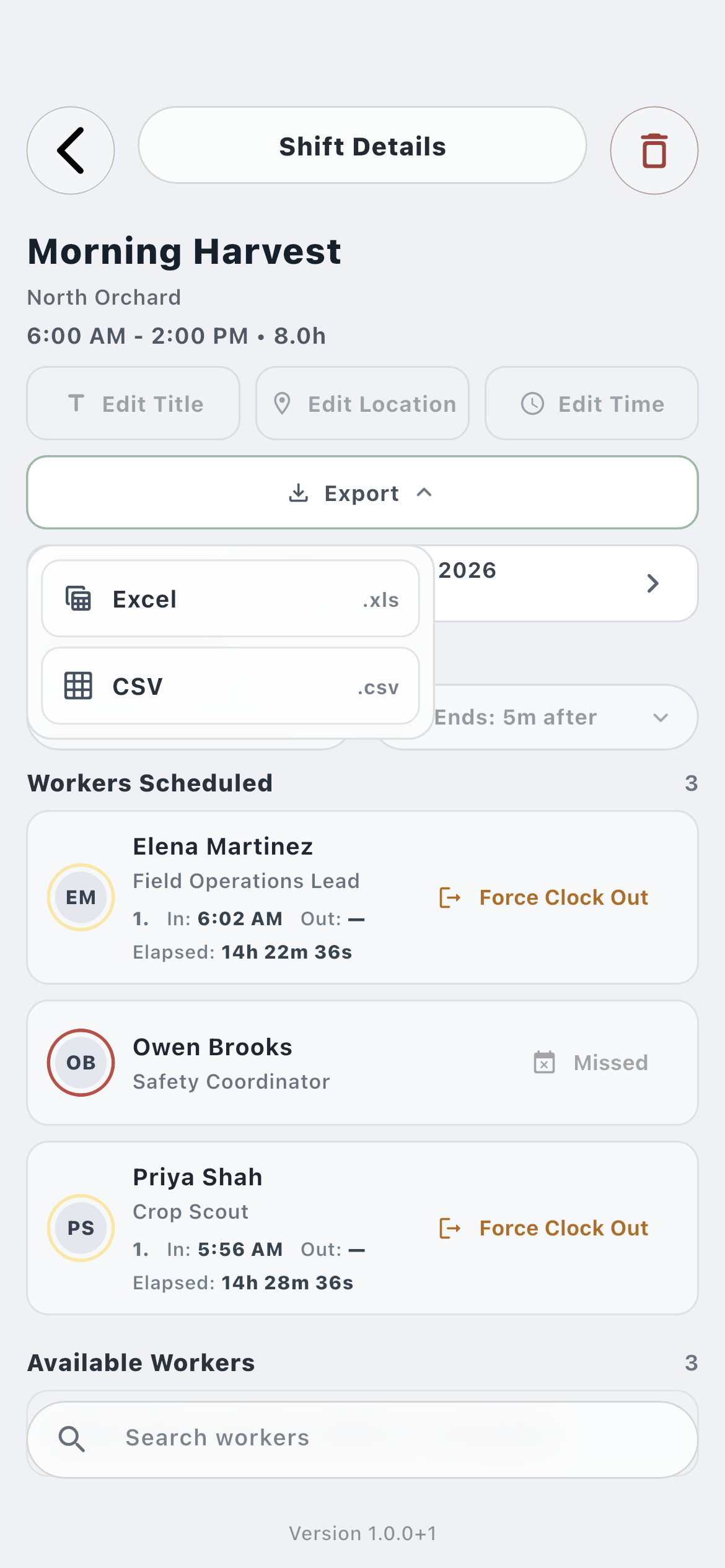
Single shift02
Farmroute shift details export menu offering Excel and CSV
Export the inspected shift with each scheduled worker’s exact clock record and attendance result.
02 · Payroll

Move estimated gross-pay detail into a spreadsheet.

The payroll export follows the selected pay period and includes worker-level hours, earnings components, adjustments, and totals for review outside Farmroute.

Review the period01
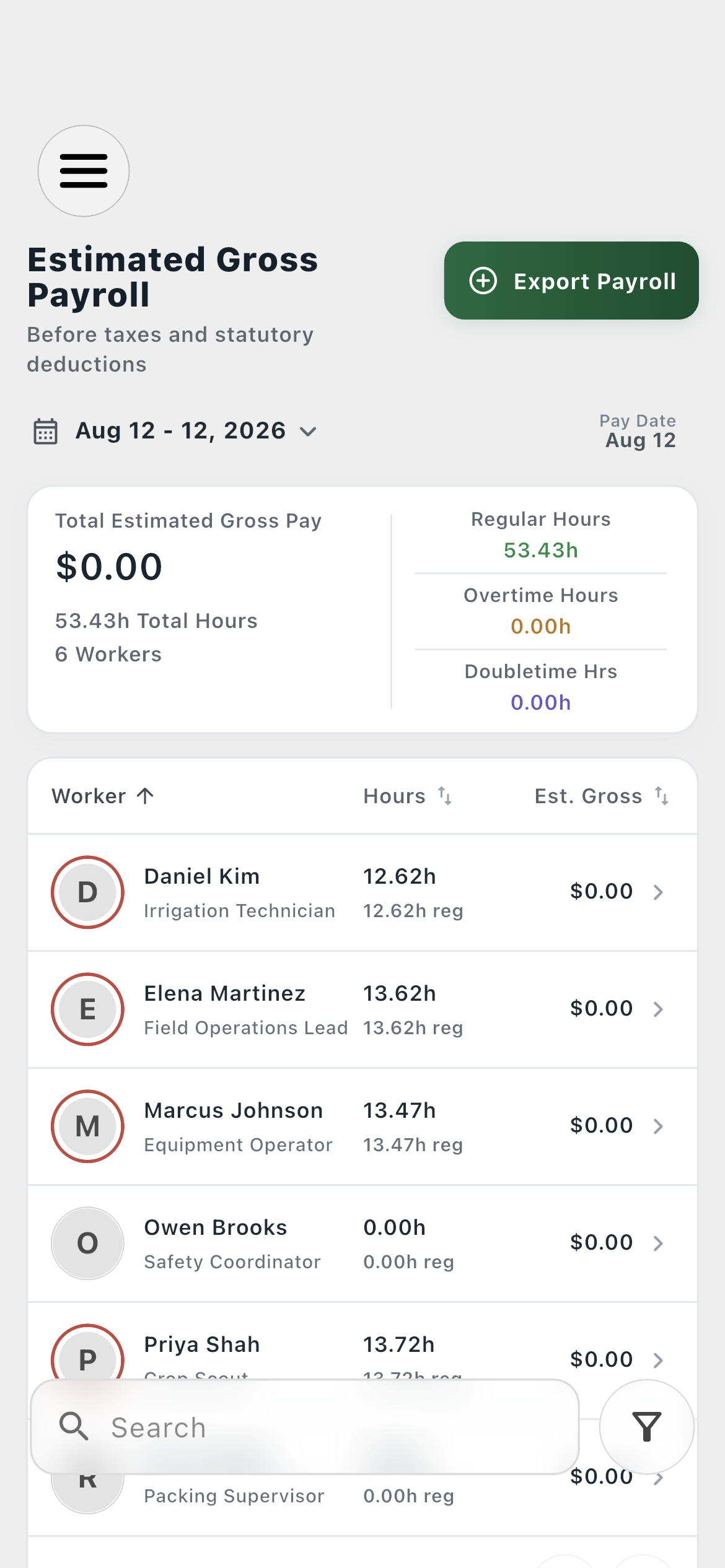
Farmroute estimated gross payroll overview
Confirm the workers, time, and estimated gross totals for the selected pay period before export.
Choose a format02
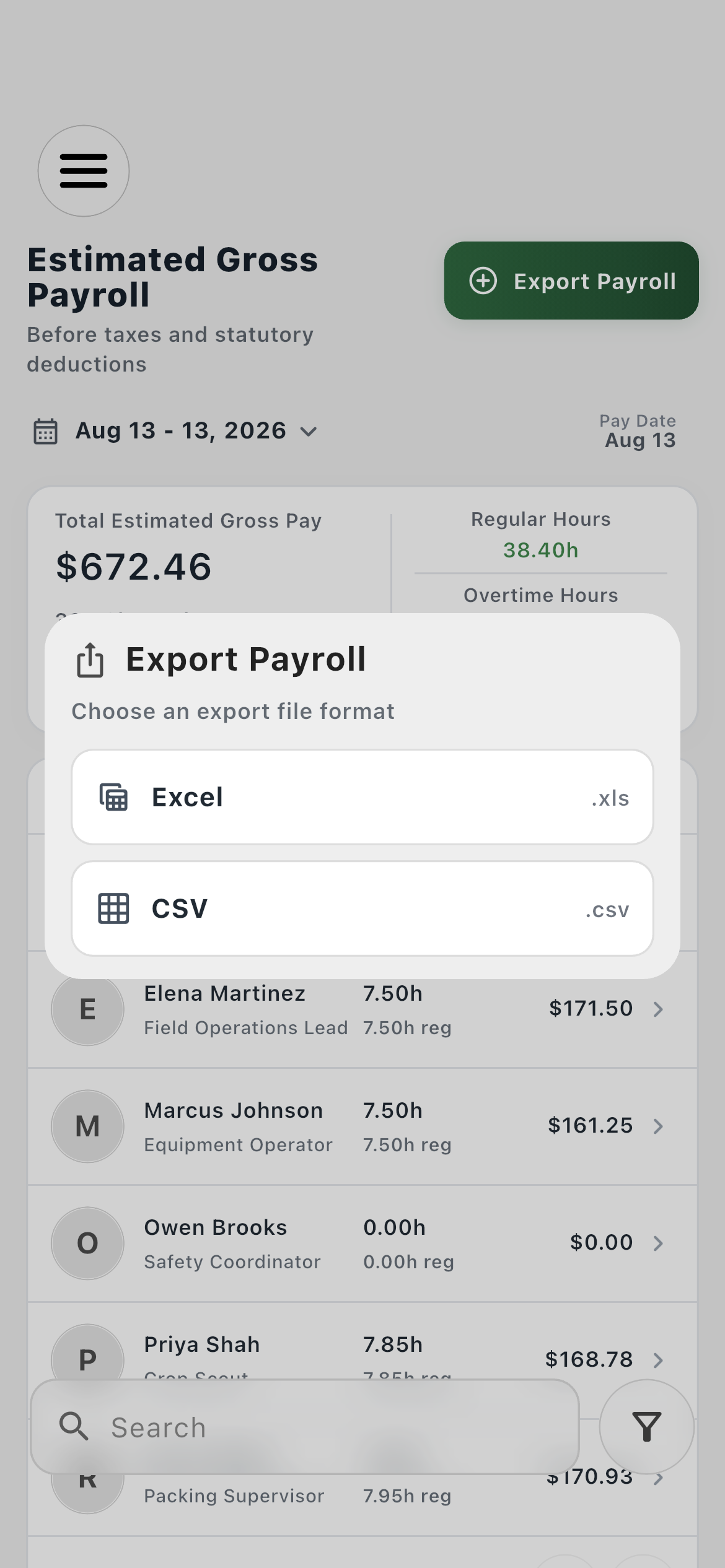
Farmroute payroll export dialog offering Excel and CSV
Create an Excel .xls file or portable .csv file from the payroll period.
03 · Identity and portability

Print an ID or request the account’s portable archive.

Farm-side ID controls produce a card-printer-ready PDF. Download Data is a separate security workflow that assembles account records and owned files into a portable archive.

Farm or worker ID01
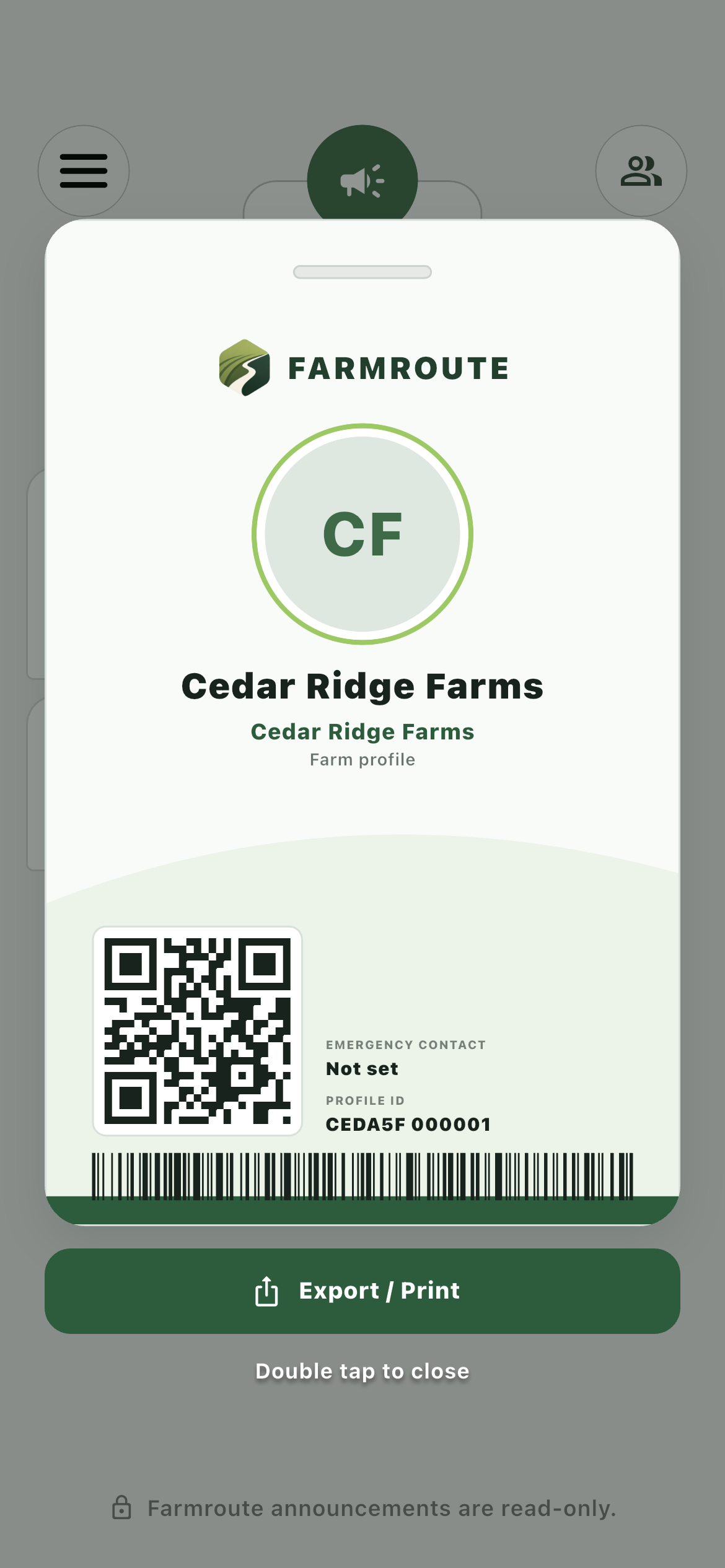
Farmroute farm ID overlay with export and print controls
Export a CR80 portrait PDF for printing at 100 percent scale from the farm-side ID view.
Account archive02
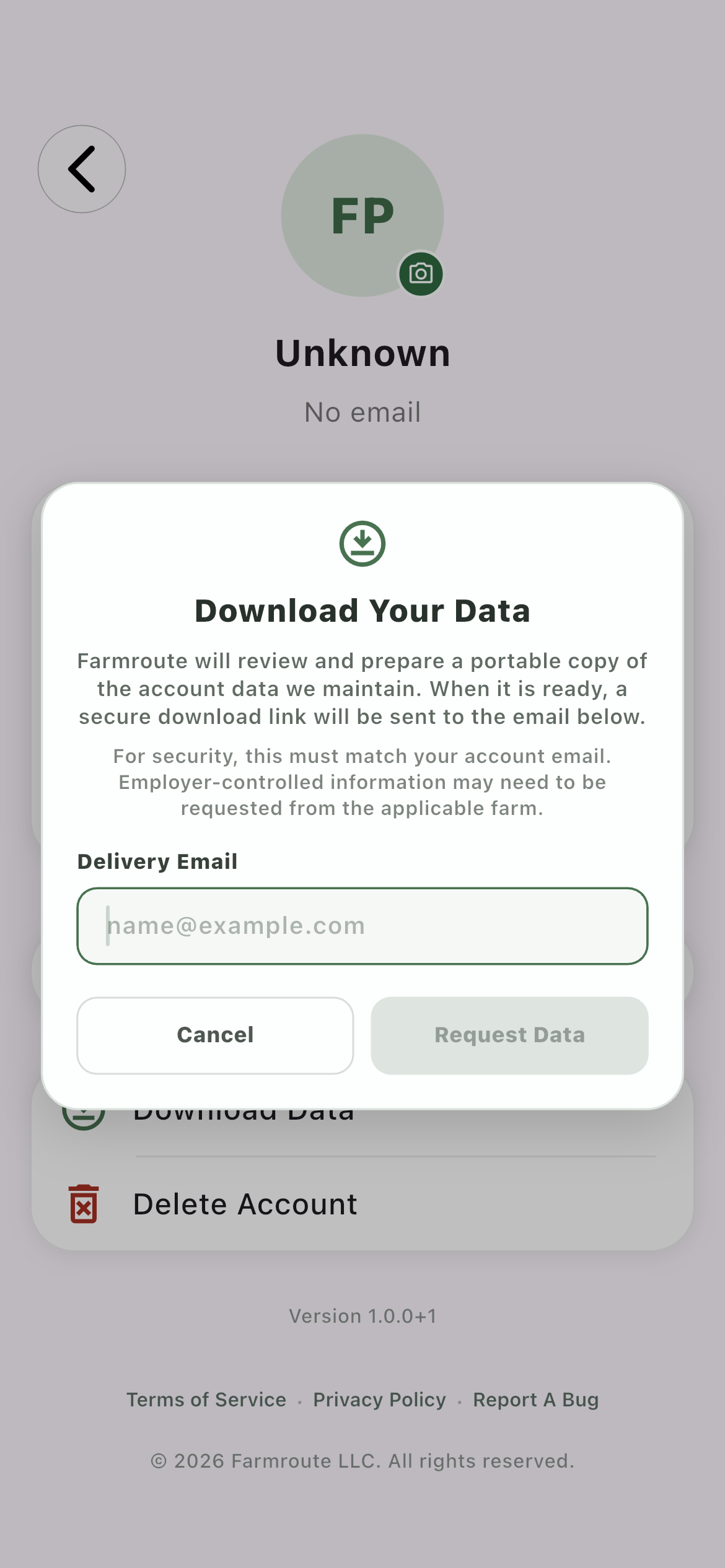
Farmroute Download Your Data request requiring the account email
Verify the account email to request a secure archive of the data and original files Farmroute maintains for that account.

How it works in practice

One export path for each kind of record.

01
Shift details

Document a single work event.

A shift export preserves the shift, location, configured on-time window, assigned worker identity, clock timestamps, elapsed time, and attendance considerations in one row per worker record.

  • Worker ID and UUID
  • Clock in, clock out, and elapsed time
  • Early, late, missed, or no consideration
02
Schedule range

Compile the shifts already on screen.

The schedule-level Export uses the visible date range so several shifts can be reviewed in one file without opening and exporting each shift separately.

  • Date-range filename
  • Same columns as a single shift
  • Excel .xls or CSV .csv
03
Estimated gross payroll

Export the complete pay-period breakdown.

Payroll exports identify the period and pay date, then itemize hours and estimated gross components for every included worker before adding report totals.

  • Regular, overtime, and double-time hours
  • Piece, salary/day, premium, guarantee, bonus, deduction, and adjustment columns
  • Worker count, total hours, and estimated gross total
04
Printable IDs

Produce a physical farm-specific card.

The farm-side ID view can generate a portrait PDF sized for a CR80 card, including the visible identity, farm context, QR code, and barcode.

  • 54 × 85.6 mm portrait layout
  • Print at 100 percent scale
  • Share or save through device controls
05
Account data

Request a portable copy of account-held information.

Download Data verifies the account email, prepares structured records and original account-owned files, and delivers access through a secure emailed link.

  • ZIP archive
  • Structured JSON records
  • Original files under a separate files directory

Roles and responsibility

Who does what.

Farm operations

Take working records into the next process.

Farm profiles can export schedule, shift, payroll, and printable ID records without retyping the data Farmroute already captured.

  • Choose scope at the source
  • Use documented columns
  • Share through operating-system controls
Account holder

Request portable account data securely.

A farm administrator or employee account holder can request the data attributable to that account, subject to identity, ownership, and farm-admin authorization boundaries.

  • Matching account email
  • Secure delivery link
  • Employer-controlled data remains with the applicable farm

Complete workflow

From start to finish.

  1. 01
    Farm

    Choose the source record

    Open the inspected shift, visible schedule range, payroll period, or farm-side ID whose output is needed.

  2. 02
    Farm

    Review the source first

    Confirm the selected dates, workers, exact clock sessions, payroll context, or displayed identity before producing the file.

  3. 03
    Farm

    Select Excel or CSV for tabular records

    Shift, schedule-range, and payroll exports support Excel .xls and CSV .csv from their in-app export controls.

  4. 04
    Farmroute

    Build the file from stored records

    Farmroute reads the saved source data and writes the defined columns; the exported file is not treated as a new source of truth.

  5. 05
    Farm

    Export printable identity as PDF

    Use the farm-side ID controls to produce the CR80 portrait document, then print it at actual size or save it through the share sheet.

  6. 06
    Account holder

    Verify an account data request

    In Settings, enter the email belonging to the signed-in account. Farm accounts require appropriate administrator access.

  7. 07
    Farmroute

    Prepare the portable archive

    Farmroute assembles structured account records under data and eligible original files under files while excluding credentials and internal storage paths.

  8. 08
    Account holder

    Use the secure delivery link

    Open the emailed link to download the completed archive rather than exposing storage credentials or a permanent public object URL.

Questions and answers

Frequently asked questions.

What can Farmroute export?

The current app provides five export workflows: a single shift, the visible schedule range, estimated gross payroll, a printable farm or worker ID, and a portable archive of account data.

Does Farmroute export Excel or CSV files?

Yes. Shift, schedule-range, and payroll exports can be created as Excel .xls or CSV .csv files. CSV is useful for broad interchange, while Excel retains the spreadsheet-oriented output.

What is included in a shift export?

Each worker row includes worker ID and UUID, worker and shift names, scheduled times, clock in, clock out, elapsed time, date, location, the configured on-time window, and any early, late, missed, or none consideration.

Can Farmroute export a shift while someone is still clocked in?

Yes. An active clock session uses elapsed time through the export moment rather than showing zero, while any earlier completed sessions remain part of the record.

What is included in the payroll export?

The file identifies the generated time, pay period, pay date, and worker count, then itemizes worker identity, role, profile, status, regular/overtime/double-time hours, earnings components, deductions, adjustments, and estimated gross pay with report totals.

How should a Farmroute ID be printed?

The ID export is a portrait PDF sized to the CR80 card standard of 54 × 85.6 mm. Print it at 100 percent or actual size so a card printer does not scale the layout.

What arrives in a Download Data request?

Farmroute prepares a ZIP containing structured JSON records and eligible original files. A secure download link is sent to the verified account email; credentials and internal storage paths are excluded.
Get started

Build your operation with Farmroute.

We pride ourselves on transparency. No need to call for a quote.