Plan the farm workday from one schedule: create multiple shifts on the same date, assign workers with a current farm relationship, set locations and attendance windows, monitor clock activity, and export the resulting shift records.
Multiple same-day shifts
Eligible worker assignment
Live attendance status
Hours scheduled and worked
Past-shift protection
Excel and CSV exports
Inside the app
See the workflow.
Actual Farmroute screens from the farm and employee demo accounts.
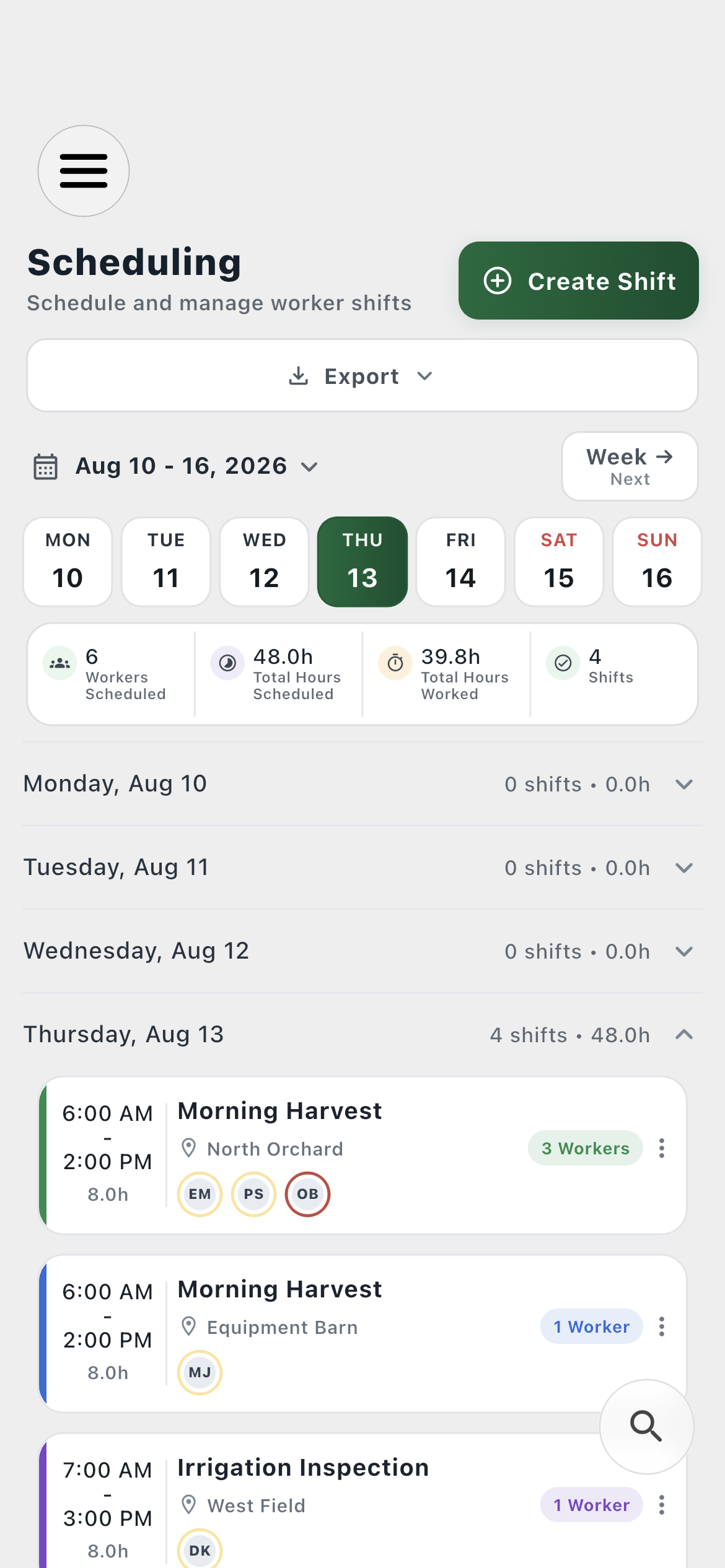
Farm schedule01
Create several shifts on the same day, compare scheduled and worked hours, and keep actively clocked-in workers visible.
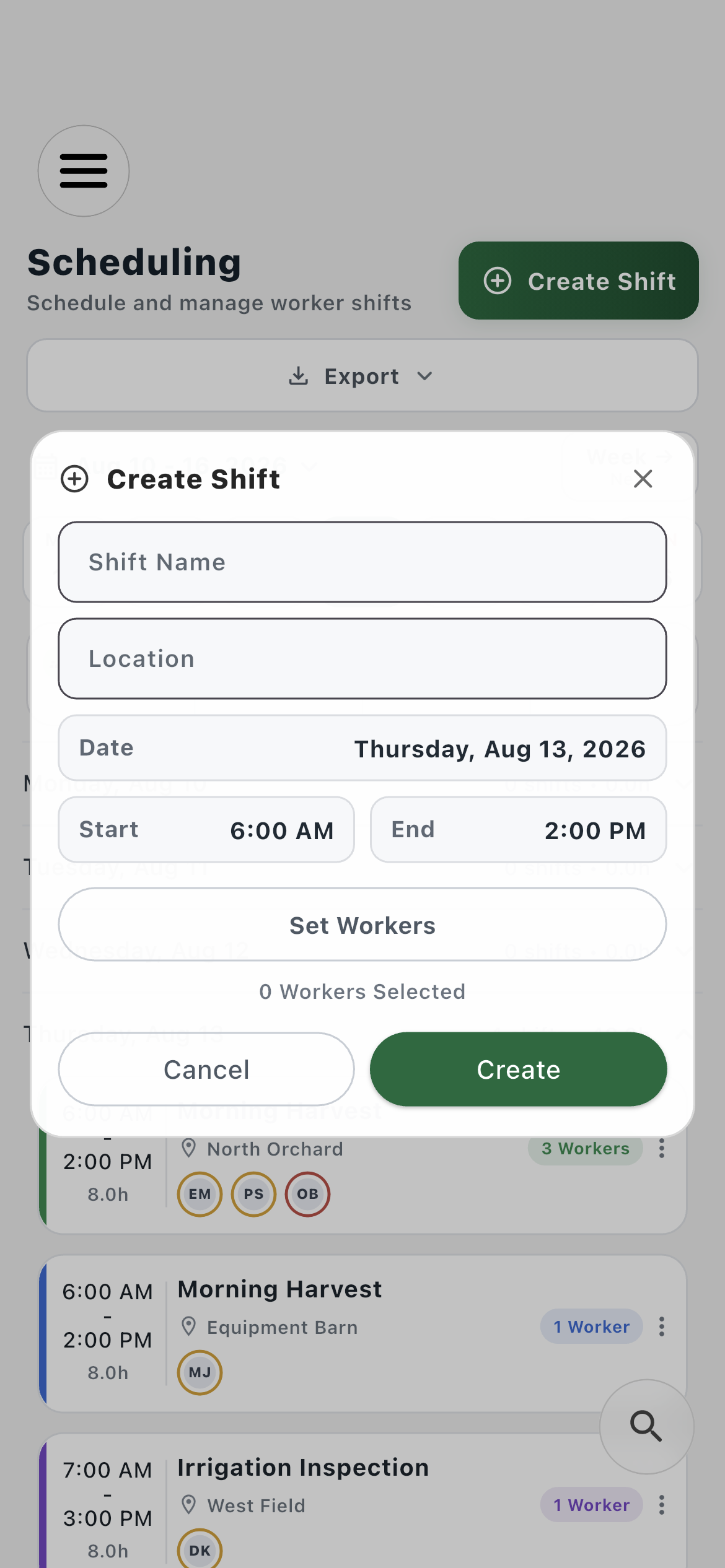
Create a shift02
Name the work, choose its location and date, set the start and end, and select eligible workers in one focused form.
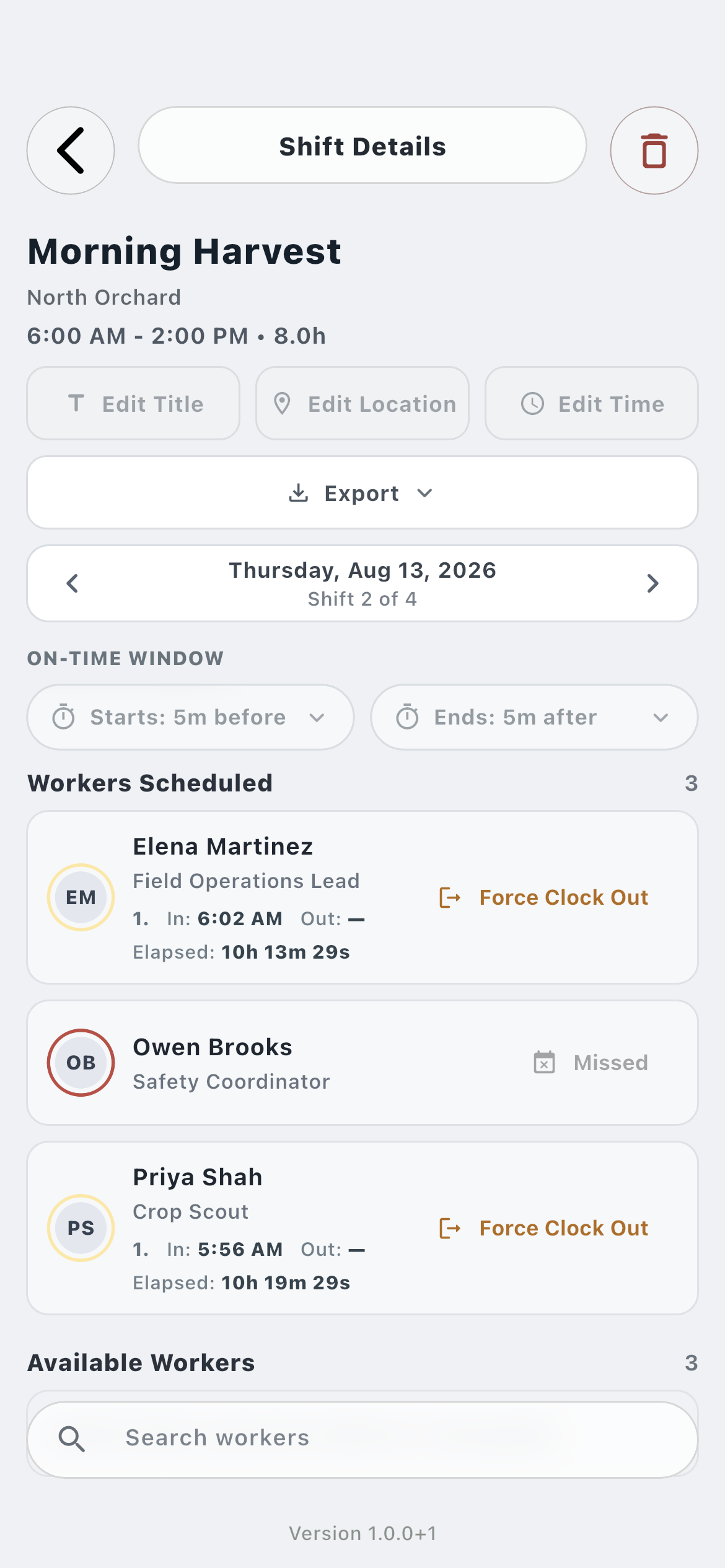
Shift details03
Inspect the on-time window, every scheduled worker, exact clock sessions, missed work, and overdue clock-outs.
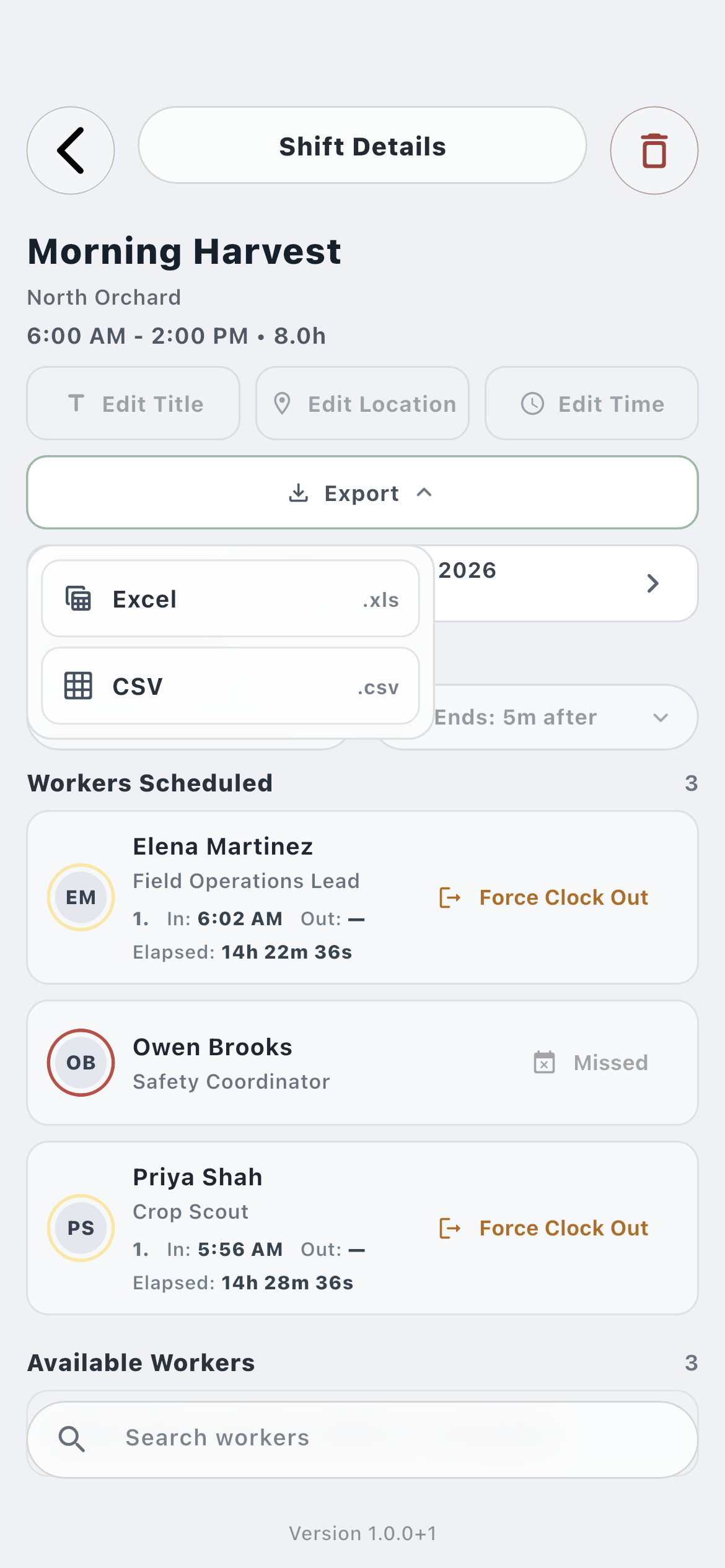
Shift export04
Export the shift and its employee time records as an Excel-compatible file or CSV.
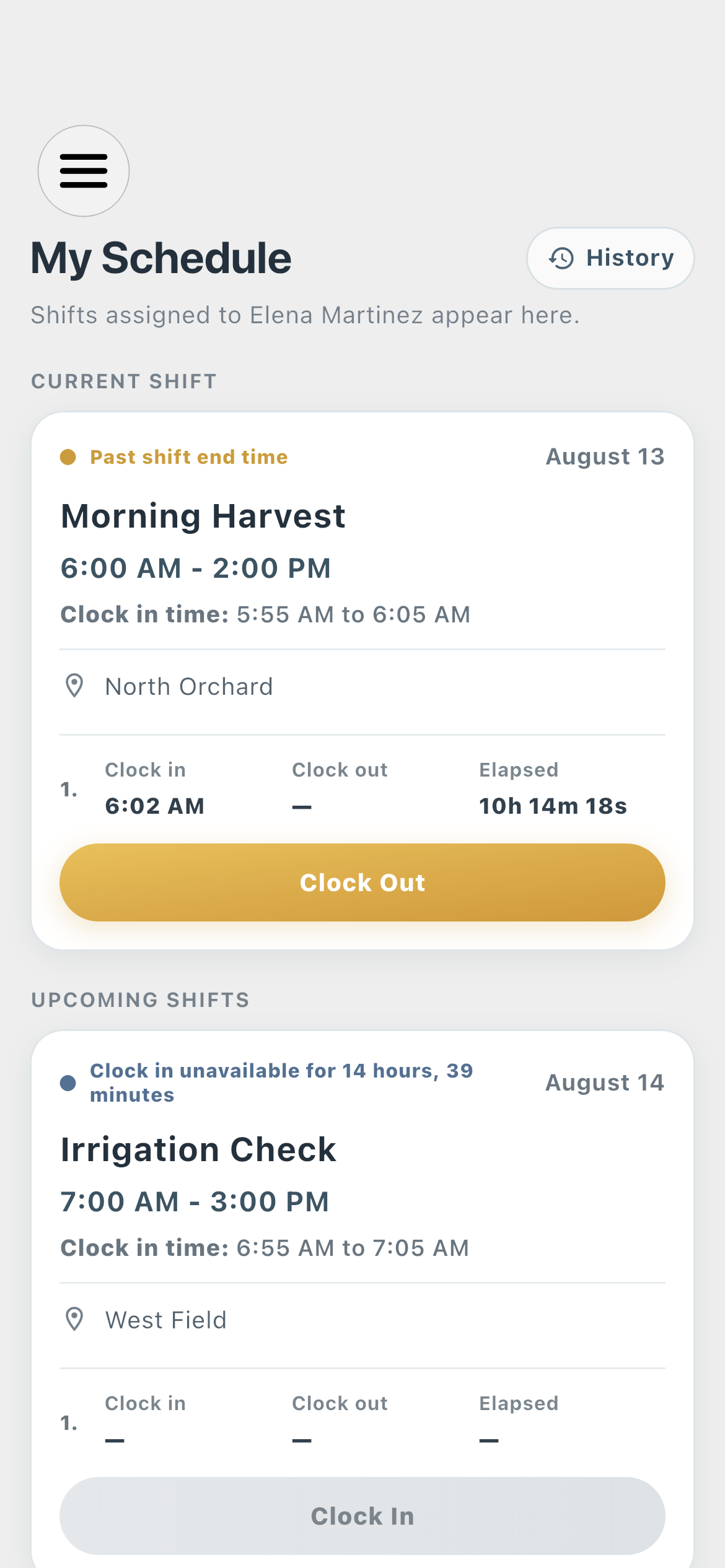
Worker schedule05
The saved assignment reaches the employee with its location, clock-in window, current session, and next scheduled shift.
How it works in practice
Built around the workday.
01
Plan
Build the farm work schedule around real operations.
Farmroute scheduling is designed for agricultural work that can place several crews, locations, and jobs on the same date. A farm can create multiple independent shifts without one draft replacing another, then review the week as a connected operational schedule.
Create multiple shifts on one day
Set a local start time, end time, and farm location
Search the schedule without losing the week in view
02
Assign
Schedule only workers who belong to the farm.
The worker picker is scoped to current farm relationships. A terminated or unrelated employee is excluded, preventing a stale worker record or a second farm relationship from becoming an accidental assignment.
Current relationship eligibility
Several workers per shift
Assignment updates delivered to the employee profile
03
Monitor
See scheduled labor become active work.
The farm schedule combines planned hours with live clock state. Attendance rings and the actively clocked-in section make it easier to find people who are working now, late, missed, or still clocked in after their scheduled end.
Hours scheduled beside total hours worked
Active workers surfaced before inactive assignments
Shift-level Excel and CSV records
Roles and responsibility
Who does what.
Farm profile
Plan and monitor the farm schedule.
The farm creates shifts, chooses eligible workers, sets the location and on-time window, reviews attendance, and exports one shift or a selected date range.
Completed shifts become read-only
Multiple same-day shifts coexist
Still-working employees move to the front
Employee profile
Receive a clear personal schedule.
The employee sees only the shifts assigned through their farm relationships, with current, upcoming, and historical work displayed in the appropriate local time.
Shift changes synchronize to the worker
Current work stays visible until clock-out
Schedule notifications follow user preferences
Complete workflow
From start to finish.
01
Farm
Create a shift
Choose a future date, local start and end time, shift name, optional farm location, and the attendance window used to classify clock-ins.
02
Farm
Assign eligible workers
The picker excludes people without a current relationship to that farm.
03
Farm
Publish the assignment
Saving the shift updates the farm schedule and delivers the assignment to each affected employee profile.
04
Employee
Receive the schedule
The employee sees the shift time, location, and clock-in information and can receive configured in-app or push notification delivery.
05
Both
Track the live shift
Farm attendance rings and employee clock controls reflect work sessions without requiring a manual page refresh.
06
Farm
Review the completed shift
After the date passes, the schedule protects the assignment from editing while retaining every worker and clock session.
07
Farm
Export schedule records
Export an individual shift or multiple shifts to Excel .xls or CSV .csv with worker IDs, exact clock times, elapsed time, date, location, on-time window, and attendance considerations.
Questions and answers
Frequently asked questions.
Can a farm create multiple employee shifts on the same day?
Yes. Farmroute stores each shift independently, so several jobs, locations, or overlapping shifts can coexist on the same date without one shift replacing another.
Who can be assigned to a farm shift?
The assignment picker includes workers with a current relationship to that farm. Terminated workers and employees connected only to another farm are not eligible.
Can a completed farm shift be edited?
No. Once a shift is in the past, its worker assignments and schedule details are protected so the historical attendance record is not casually rewritten.
Does Farmroute show who is actively working?
Yes. The farm schedule includes actively clocked-in workers, places urgent still-working states first, and uses attendance rings to summarize each worker’s status.
Can farm schedules be exported?
Yes. Farms can export one shift or multiple shifts in Excel .xls or CSV .csv format with worker, schedule, clock, elapsed-time, location, and attendance details.
Get started
Build your operation with Farmroute.
We pride ourselves on transparency. No need to call for a quote.